
Use the AI you already have
Connect an AI with an API key — Revoye, the Claude API or any OpenAI-compatible API — or use the ChatGPT, Claude, Gemini, Qwen or DeepSeek account you’re already signed in to. Set a default for every agent, pick another per agent if you like, and a backup in case it’s unavailable.
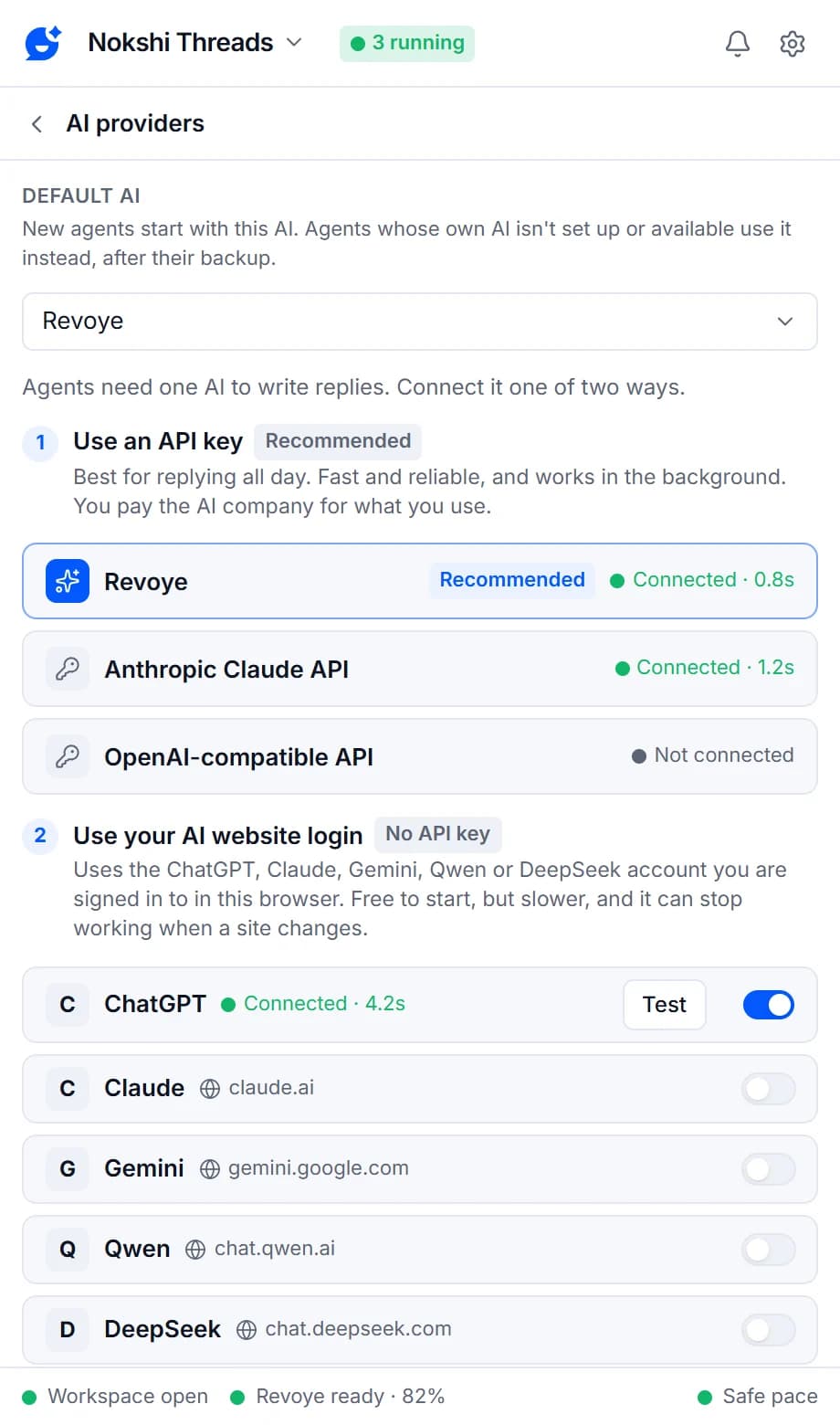
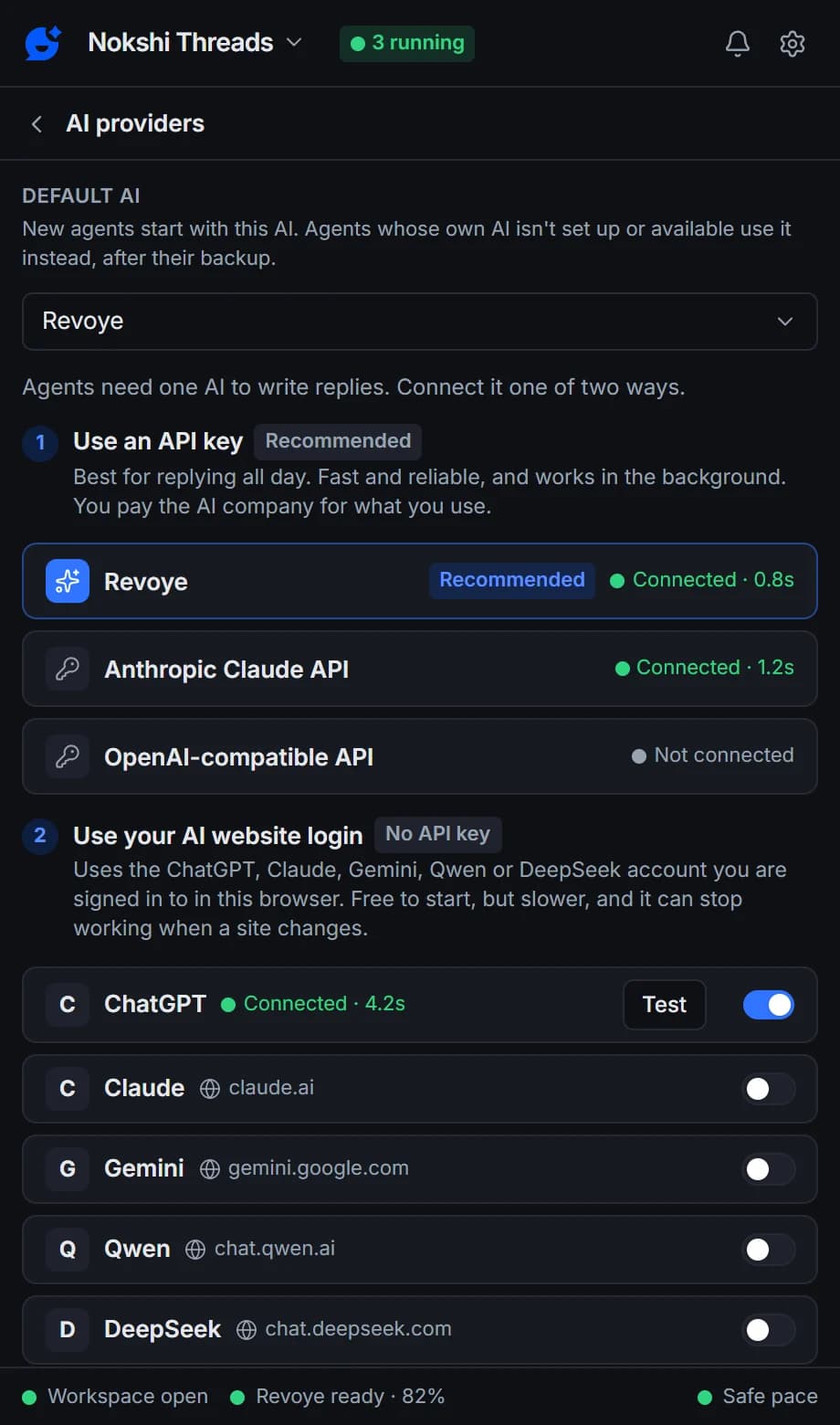
Two ways to connect
Pick the AI that fits your budget
Both are in Settings → AI providers, each provider with a Test button that shows the answer time or the exact error.
1. API key: Revoye (recommended)
One API key for Revoye Cloud or your own Revoye Desk, with the model chosen automatically or by you. Fast, reliable and works in the background.
1. API key: Claude or OpenAI-compatible
The Anthropic Claude API with a choice of model, or any OpenAI-compatible API: OpenAI, OpenRouter, Groq, DeepSeek, Gemini, or a local Ollama server.
2. Your AI website login
Use the ChatGPT, Claude, Gemini, Qwen or DeepSeek account you’re signed in to — no API key. Free to start, but slower, and it can stop for a while when a site changes.
Per brand and per agent
Your voice, your rules, your language
Set the tone, the rules for every reply and the reply language once, on the brand — Bangla, English or Banglish to match the customer, or always English or Bangla. Each agent can add extra instructions of its own, such as keeping comment replies to one sentence.
- Tone up to 1,000 characters, rules up to 2,000, agent instructions up to 4,000
- Match the customer, always English or always Bangla
- Markdown and citations are removed before posting
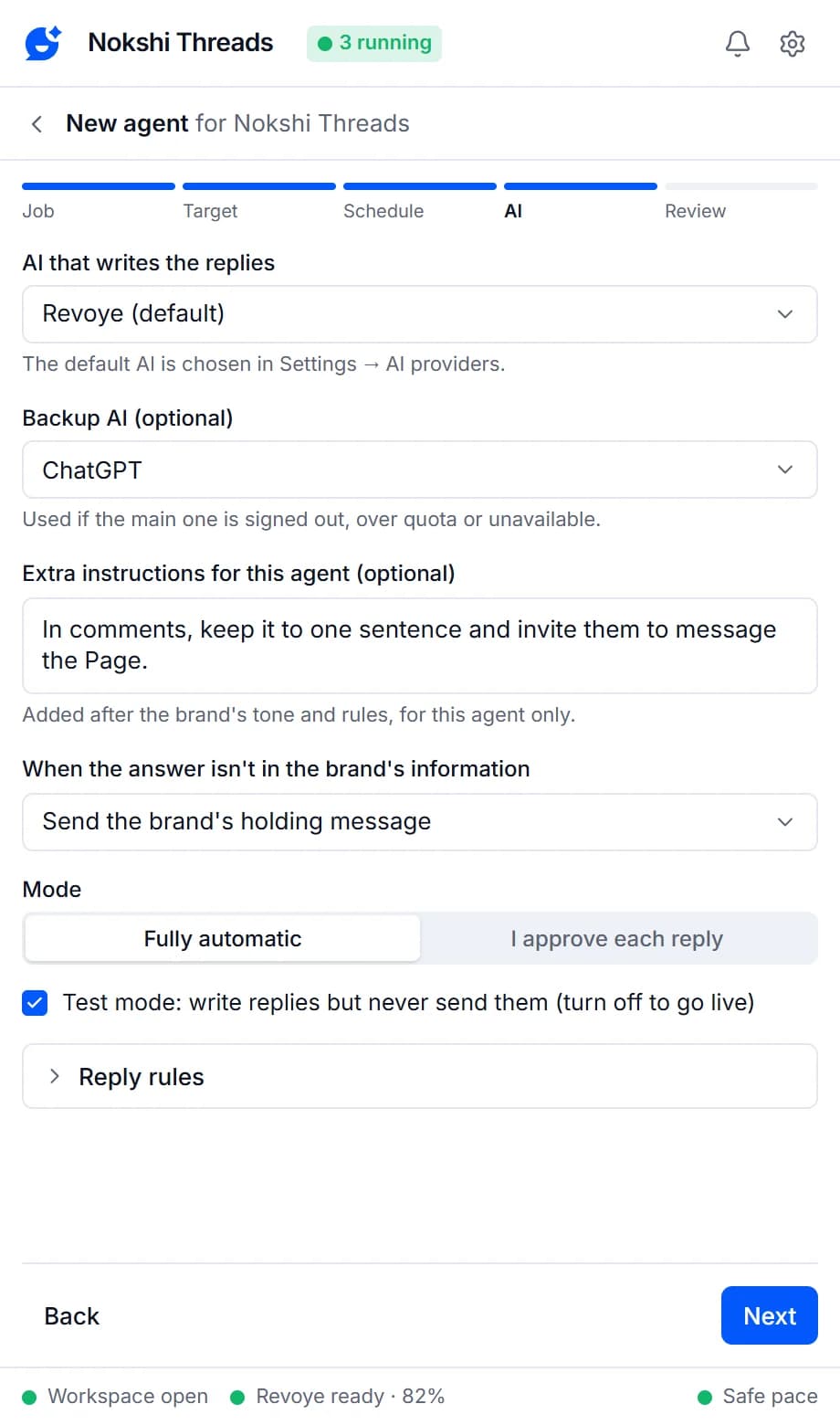
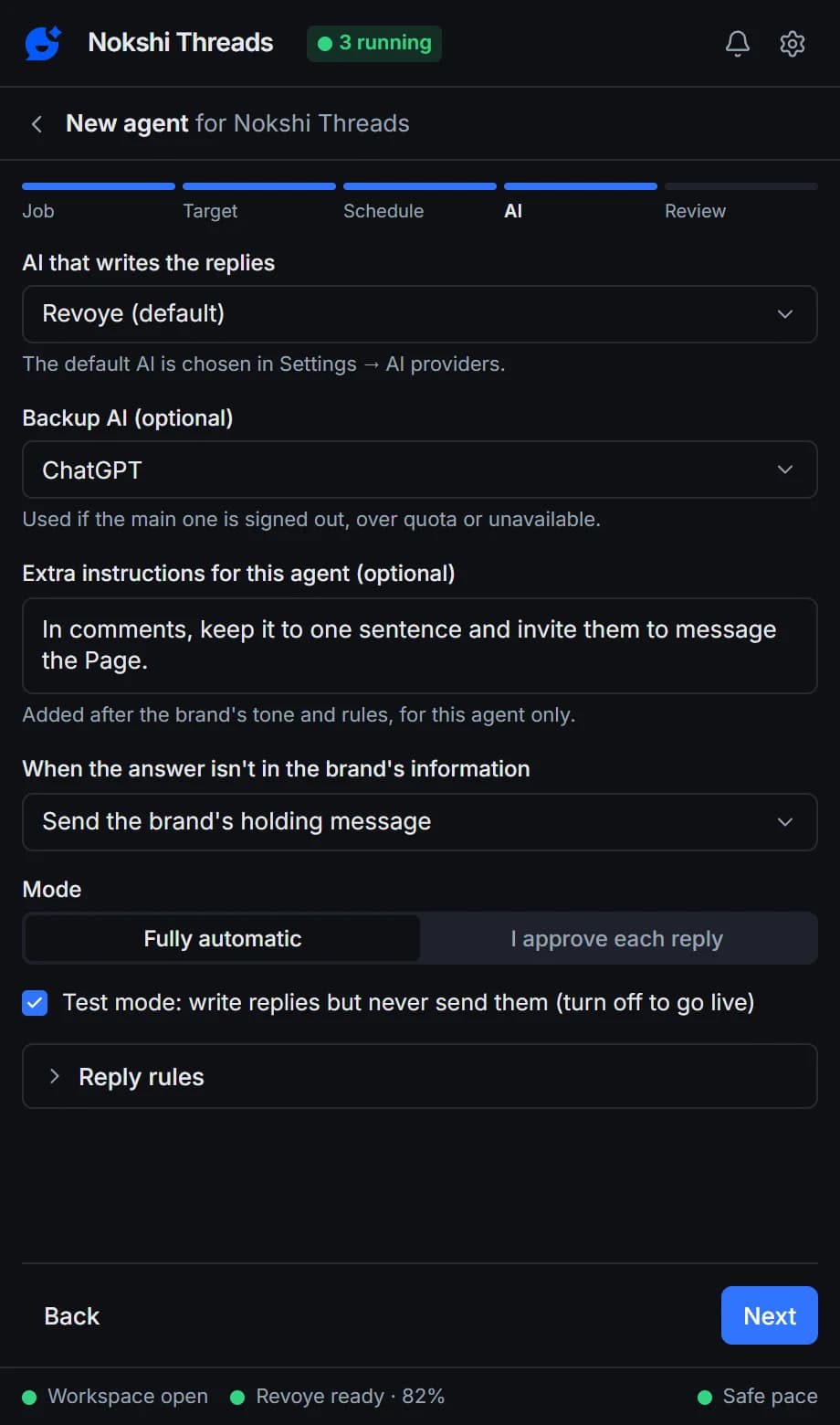
Default and backup
A backup when your AI is busy
New agents start with your Default AI. If an agent’s AI is signed out, over its quota or unavailable, it uses the backup you picked, then the default, instead of stopping. Each provider shows whether it’s connected and how fast it answered.
- Test any provider in Settings → AI providers
- Connected status and response time at a glance
- Keys stay in your browser, never in exports
Every provider works the same way
Revoye
The recommended provider: one API key, Revoye Cloud or your own Revoye Desk.
Anthropic Claude API
Use your own Claude API key and choose the model.
Any OpenAI-compatible API
OpenAI, OpenRouter, Groq, DeepSeek, Gemini, or a local Ollama server.
Your AI website login
Use the ChatGPT, Claude, Gemini, Qwen or DeepSeek account you're already signed in to. No API key.
Backup provider
If your main AI is signed out, over quota or down, the agent uses the backup.
Brand tone and rules
Set each brand's tone and reply rules once, in your own words, and add extra instructions per agent.
Bangla, English and Banglish
Each brand matches the customer's language, or always replies in English or Bangla.
No invented prices or links
A reply that mentions a price, number or link that isn't in your information is never posted automatically.
Data stays in your browser
Facebook messages, comments, names and AI keys never leave your browser.
Every AI provider works on every plan. You pay your AI provider directly; Replyzoo plans don’t include AI usage.
Compare plansFrequently asked questions
Something else? See the docs or get support.
Do I need an AI subscription or an API key?
You need one AI provider. Connect it with an API key (Revoye, the recommended provider, your own Claude API key or any OpenAI-compatible API key), or use the ChatGPT, Claude, Gemini, Qwen or DeepSeek account you're already signed in to in Chrome. You pay your AI provider directly; Replyzoo doesn't resell AI.
Which AI gives the best replies?
For short customer replies, ChatGPT, Claude and Gemini all work well; Revoye is the recommended default. Use Test answers on the Brand tab to compare answers to your own customers’ questions.
API key or website login?
An API key is best for replying all day: it’s fast, reliable and works in the background, and you pay the AI company for what you use. A website login is free to start, but slower, and can stop working for a while when the site changes its pages.
Is using my ChatGPT or Claude web account allowed?
Replyzoo uses the session you’re signed in to in Chrome, the same way you would. Check your AI provider’s terms for automated use; if you prefer, use an API key instead.
Can it reply in Bangla or Banglish?
Yes. By default an agent matches the customer: Bangla, English or Banglish. You can also tell an agent to always reply in English or always in Bangla. Facebook itself needs to be set to English for Replyzoo to find its way around the page.
Can I run a local model?
Yes. Point the OpenAI-compatible provider at a local Ollama server; the API key can be left empty for local servers.
Bring your own AI to every Facebook reply
Connect the account you already pay for and test it on real questions in minutes.
Chrome on a desktop computer. Agents reply while Chrome is open.