
AI replies to your Facebook Page comments
Every “price?”, “size?” and “Dhaka te delivery?” under your posts gets a real answer from your own product information — publicly, in the thread, at a human pace.
Works through Facebook's normal web pages in your Chrome. Automation can lead Facebook to limit accounts; Replyzoo's safety limits reduce that risk but can't remove it. How Replyzoo stays careful
Sound familiar?
“Every post gets fifty ‘price?’ comments and I can’t keep up.”
“By the time I reply, the buyer has scrolled on.”
“I write ‘check inbox’ and half of them never do.”
“The same delivery question, under every single post.”
In the thread
Public answers where buyers are asking
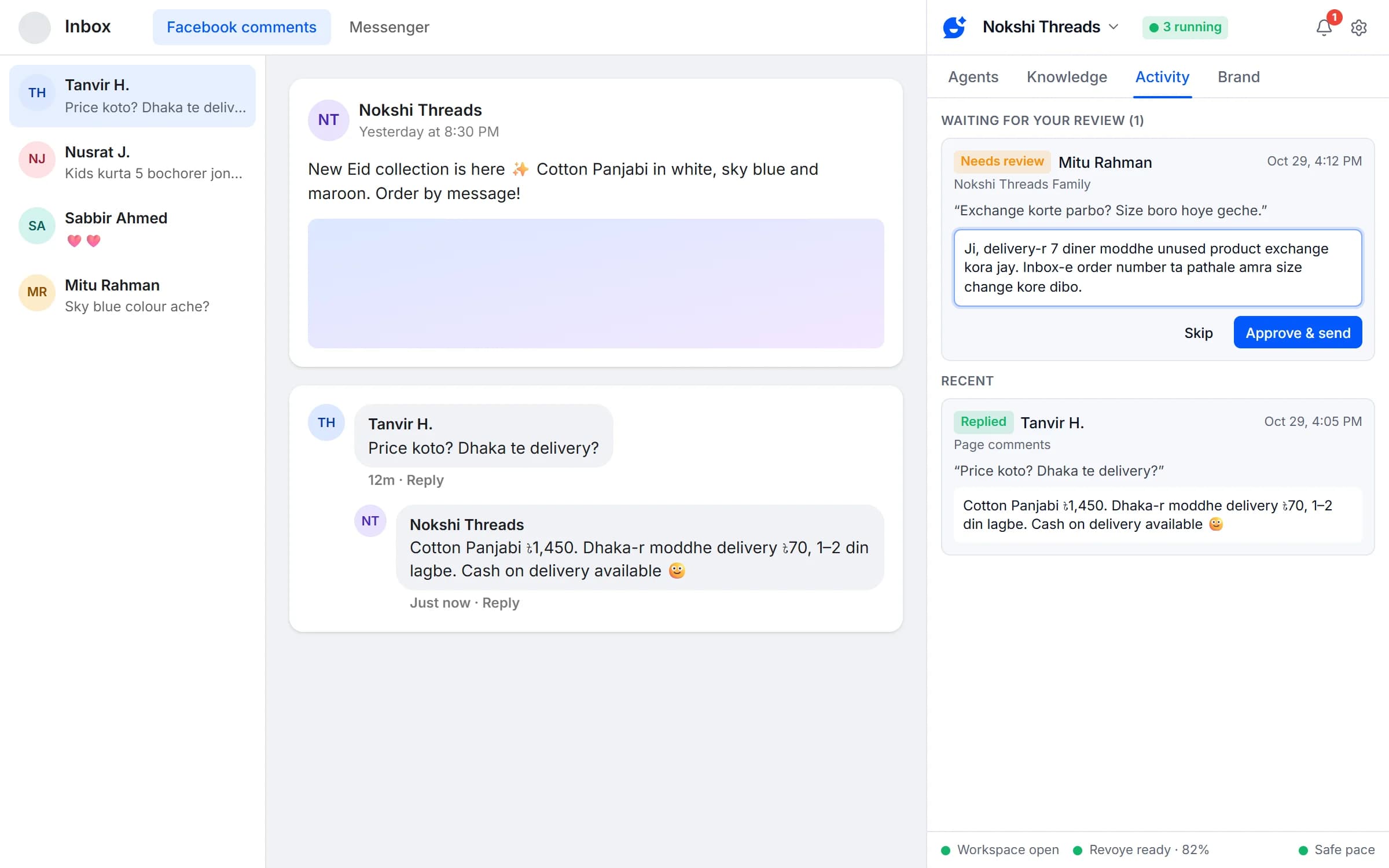
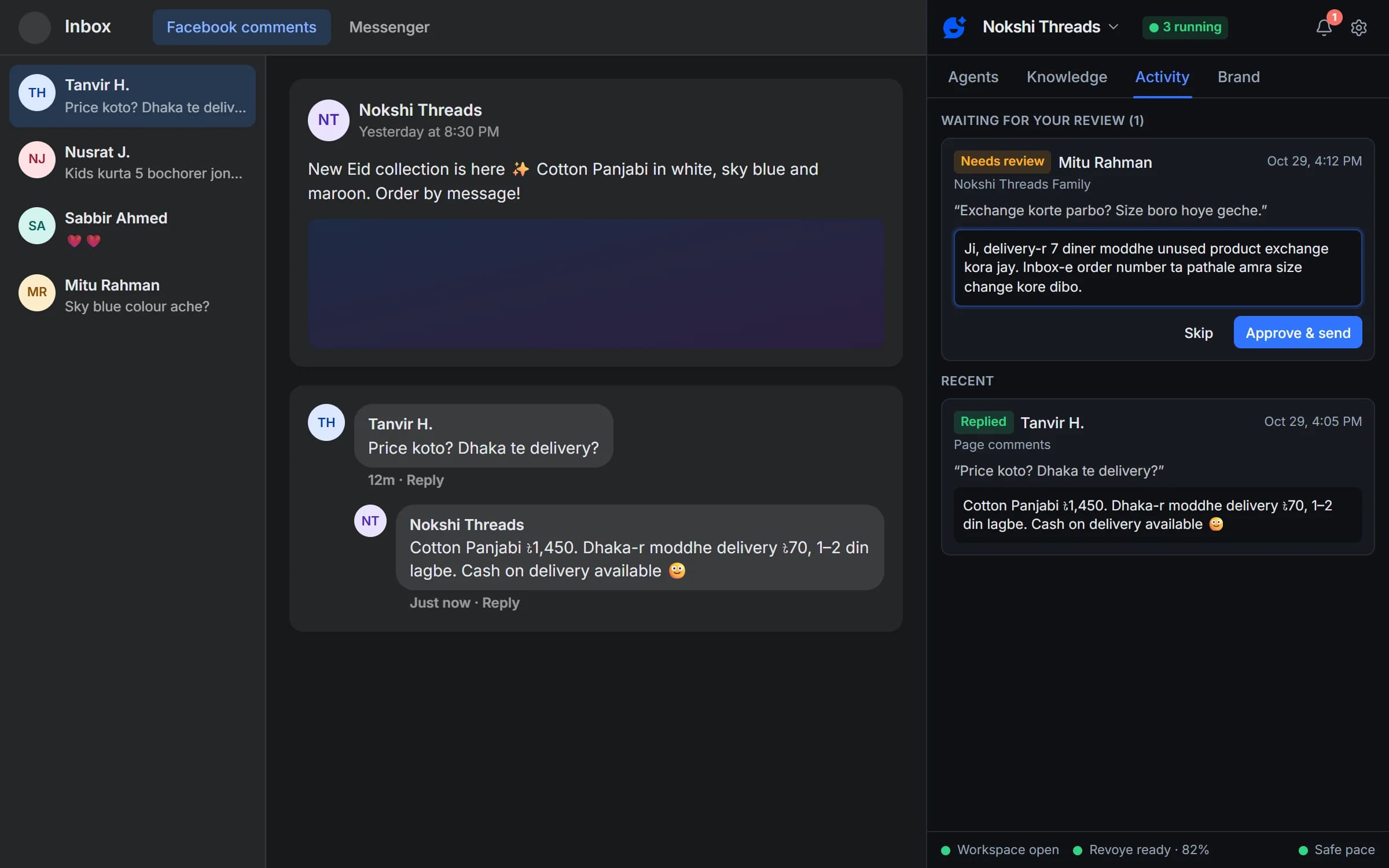
The agent works through the Facebook comments tab of your Business Suite inbox and replies in the comment thread, as your Page — so the next person who reads the thread sees the answer too.
- Comments on your Page posts
- Replies in the customer’s language
- One reply per comment, never twice
Only real prices
Prices from your catalog, not the AI’s imagination
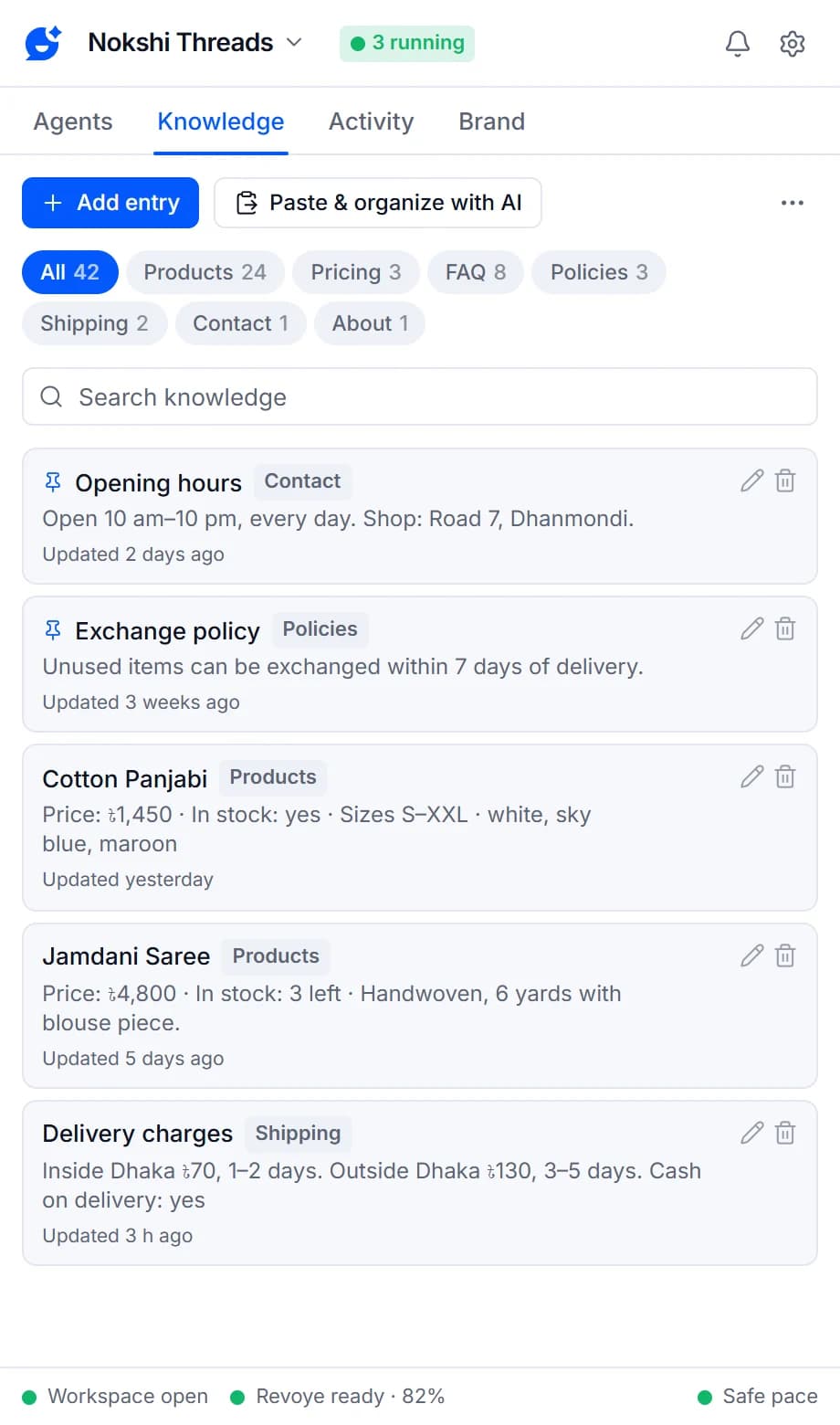
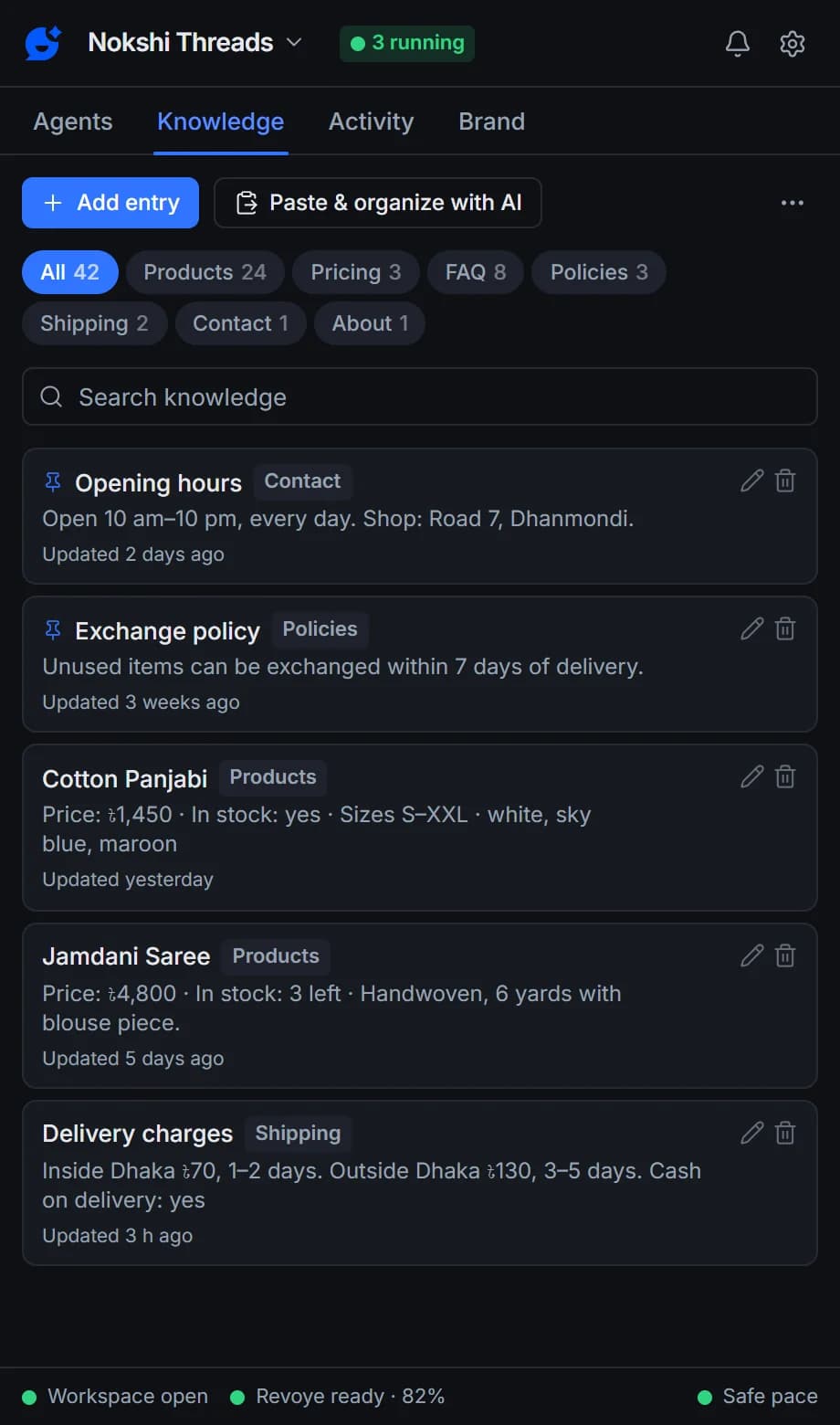
Prices and delivery charges come from your brand’s knowledge. Paste your price list and the AI organizes it into one entry per product, each showing when it was last updated. If the AI writes a number that isn’t in your information, the reply is held back.
- Paste & organize with AI, or import CSV or JSON
- Grounding check on every reply
- Holding message, review or skip when the answer is missing
Good manners
Knows when to stay quiet
Hearts and emoji-only comments are skipped. So are threads you already answered, words you never want answered, and your own Pages and profile. Questions only, or every comment — you decide.
- Skip if someone already replied
- Questions only mode
- Per-person daily cap
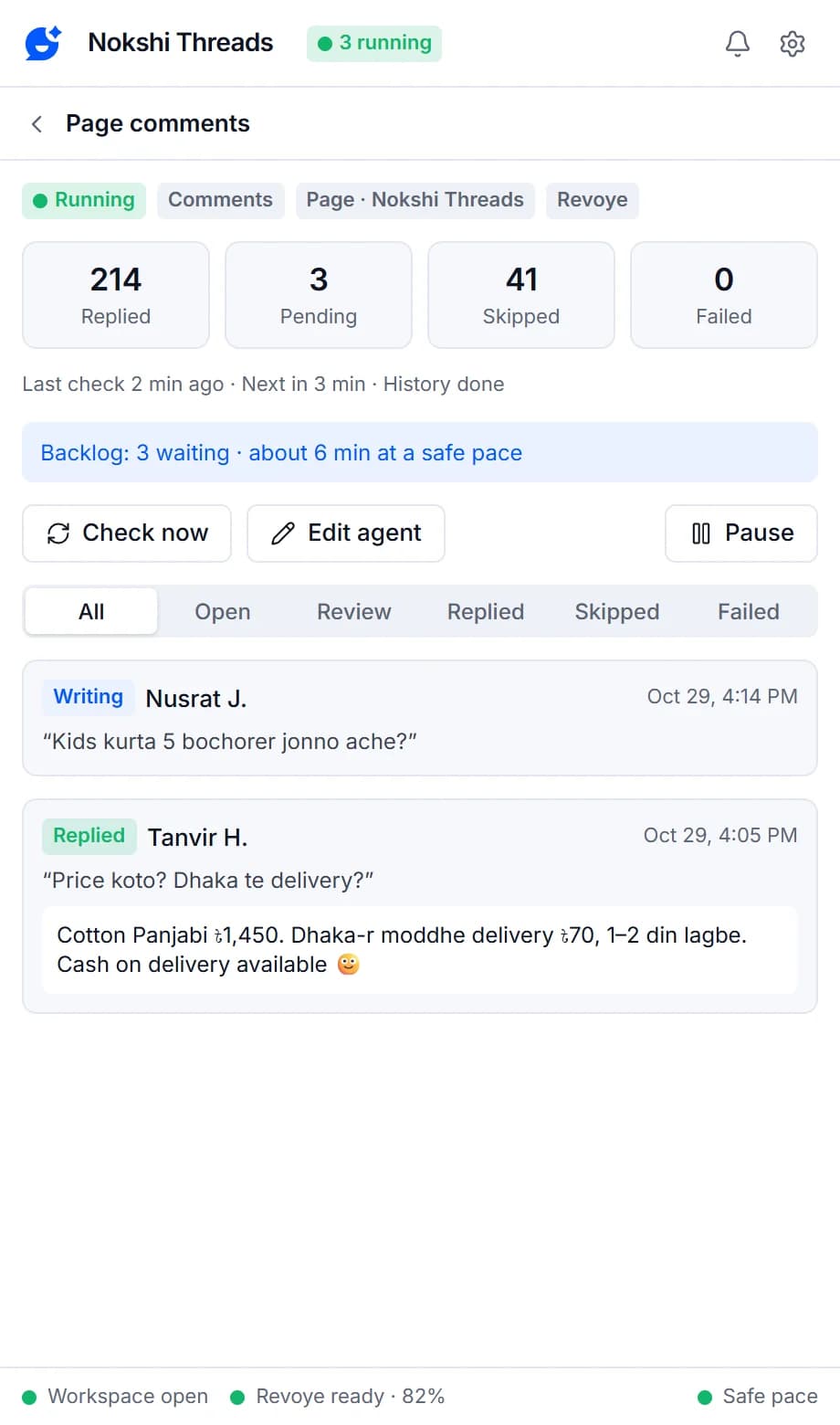
What your comments agent can do
Page comments
Replies to comments on your Page posts from the Business Suite inbox.
No invented prices or links
A reply that mentions a price, number or link that isn't in your information is never posted automatically.
Catalog sync
Pull a JSON or CSV catalog into the brand's knowledge every few hours. Existing connectors keep working; adding new ones returns in an upcoming update.
Reply filters
Reply to every message or questions only, and skip anything containing words you list.
Skip if someone already replied
Leaves threads alone when you or your team already answered.
Ignore my own Pages and profile
Stops your agents from answering each other.
Bangla, English and Banglish
Each brand matches the customer's language, or always replies in English or Bangla.
Human pace
One Facebook action at a time, typed in human-sized chunks, with a random 45–120 second gap between replies.
Activity
See what needs you, what's waiting for review and every recent reply, with the reason for each skip.
AI agents in your comments
Every comment answered, none of them invented
Your agent reads new comments, skips what needs no answer, writes from your information and checks every number before it posts.
- Replies in Bangla, English or Banglish
- Never replies twice
- Stops on any Facebook warning
Page comments are on every plan, including Free. Pro adds catalog sync and live lookups, Groups, your personal profile and more replies.
Compare plansFrequently asked questions
Something else? See the docs or get support.
Does it reply publicly or by private message?
Publicly, in the comment thread, as your Page. That way everyone reading the post sees the answer.
Which comments does it answer?
New comments on your Page posts within the look-back period you chose. With “Questions only” it answers questions and skips the rest; emoji-only comments, skip words and threads you already answered are always left alone.
What happens when the answer isn't in my info?
The agent doesn't guess. You choose what it does for each agent: send a short holding message ("Thanks for your message! Our team will get back to you shortly."), ask you to review the reply first, or not reply at all. A reply that mentions a price, number or link that isn't in your information is never posted automatically.
Will it reply twice to the same message or person?
No. Every message and comment is recorded, so it never gets a second reply, even if you delete and recreate an agent. Each person also gets at most 3 replies a day by default, and agents skip threads someone already answered.
Can Facebook restrict my account for using Replyzoo?
It can happen. Replyzoo works through Facebook's normal web pages in your own Chrome, and Facebook's terms restrict automated activity, so any automation carries some risk. Replyzoo is built to keep that risk low: one action at a time, a random 45–120 second gap between replies, hourly and daily limits, working hours, and an automatic pause on every agent the moment Facebook shows a checkpoint or warning. It reduces the risk; it can't remove it. You use it at your own risk.
What's included in the Free plan?
The Free plan runs one agent on your Page inbox or Page comments, with a monthly reply allowance and a starter number of knowledge entries. Pro adds more agents and replies, Groups, your personal profile and Messenger, data connectors and a second browser. See the pricing page for current limits and prices.
Never leave a “price?” unanswered again
Start free on your Page comments and read the replies in test mode first.
Chrome on a desktop computer. Agents reply while Chrome is open.